FILL YOUR COURTS
List your venue, take bookings that are already paid for, and run the whole thing from one dashboard.No phone diary. No double-bookings. No chasing people for money.
List your venue, take bookings that are already paid for, and run the whole thing from one dashboard.No phone diary. No double-bookings. No chasing people for money.
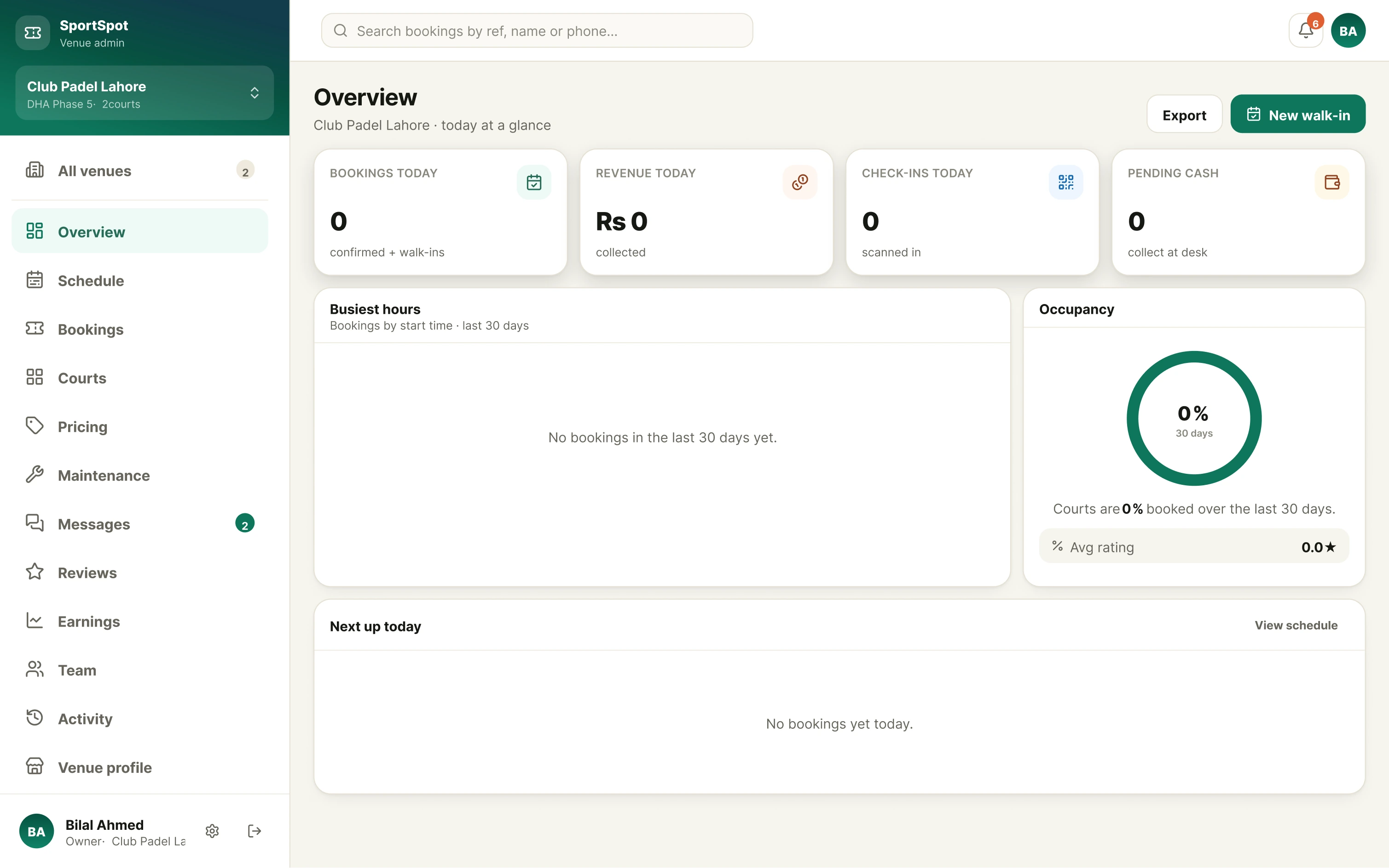
These are the screens in the venue dashboard today — not a roadmap.
Bookings, revenue and check-ins for today, with what is coming up next. Occupancy and your busiest hours over the last 30 days, so you can see which slots actually sell.
Your whole week laid out court by court. What is booked, what is free, and what you have closed off.
Every booking with its customer, court, time and payment status. Add a walk-in at the desk without leaving the page.
Scan a customer’s QR code, or put the screen into display mode and let them check themselves in. You set how early and how late a code stays valid.
Add courts, name them, set which sports each one is for. What you configure here is exactly what customers can book.
Set your own rates per court and per sport. You decide what your time is worth — we never set it for you.
Take a court out of service for repairs or a tournament, one-off or recurring. Blocked time cannot be booked.
Revenue by week, refunds, cancellations, slots filled and occupancy — the numbers you would otherwise be rebuilding in a spreadsheet.
Customers ask about a booking in the app and it arrives here, attached to the booking, instead of on somebody’s personal phone.
See what customers say after they play, and report anything that breaks the guidelines.
Give each member of staff their own login instead of sharing one. Owners and admins control who can change prices and structure.
Who changed what, and when. Useful the day a price is wrong and nobody remembers touching it.
Run several branches from the same account and switch between them, or see them together.
Settlement to your linked bank account. Not built yet — while it is being finished, money owed to you is reconciled and paid by arrangement.
The three things that change the day you switch.

A slot is only held once the money is in. No deposits to chase, and no one booking three courts they never meant to use.

Availability comes from your opening hours and what is already booked. Close a court for maintenance and it disappears from the calendar.

Every booking carries a QR code. Scanning it records who turned up and when — which settles the argument if a booking is ever disputed.
Setting up takes an afternoon, and you keep control of everything customers see.
Your prices, your hours, your rules of entry. We handle the booking, the payment and getting the customer to your door.

Where you are, what you have, and which sports each court is for. A person reviews it — every venue is checked before it goes live.
You decide what is bookable and what it costs. Your opening hours become your availability, so nothing sells outside them.

Customers find you, pay, and arrive with a QR code. Your staff scan it and the day runs itself.

We take a commission on bookings made through the platform. The rate and how you are paid are agreed in writing before you go live — they are not published here because they are not fixed yet. Ask us and we will tell you where that has got to.
Yes. You set the rate for every court and sport yourself, and you can change it whenever you like. We never set or discount your prices for you.
Yes — you can add a walk-in in the dashboard so it lands on the same calendar. What you must not do is take a booking somewhere the platform cannot see, because that is how the same slot ends up sold twice. Keeping your hours and closures current is your side of that.
The booking is already paid and it stays paid. There is no refund for a no-show, and none for a customer who simply changes their mind — bookings cannot be cancelled or moved once paid. That is unusual, so read that part of the Partner Terms before you sign.
Tell us straight away and the customer is refunded in full, including the service fee. Who carries that cost is part of the agreement we make with you when you join.
Automatic payouts to a linked bank account are still being built. Until they are live, money owed to you is reconciled and settled by arrangement — we will be specific about that before you list, not after.
Yes, and they should. Each person gets their own access, and only owners and admins can change prices, courts or team members. Everything significant is recorded in the activity log.
One account can hold several venues. You can switch between them or see them together, and staff can be given access to only the branch they work at.
Tell us what you have and we will get you set up. Listing is free to apply for, and nothing goes live until you have seen it.
The online application is not open yet.
We are still building the signup flow, so we are taking venues on by hand. It is slower, and it means an actual person walks through it with you.
{{OWNER: who handles venue onboarding enquiries, and how — phone, and any channel that is actually monitored}}
We will come back to you within {{OWNER: target response time for a venue enquiry}} and tell you what happens next.